
Photo collage templates
Grid and scrapbook layouts work well when you want to show several memories together.
Use similar crops and a consistent order so viewers can understand the story at a glance.
Editable poster templates
A useful birthday poster template should make the photos easier to enjoy, not bury them under decoration. Choose from milestone grids, featured portraits, number-shaped collages, and party-ready layouts. Each option can be personalized with a name, date, message, colors, and your own pictures before you export it for print or sharing.
Quick answer
A birthday poster template is a ready-made layout with editable photo, text, and size areas. Choose a grid for timelines, a featured portrait for welcome signs, or a shaped collage for a decorative display.
Grid and scrapbook layouts work well when you want to show several memories together.
Use similar crops and a consistent order so viewers can understand the story at a glance.
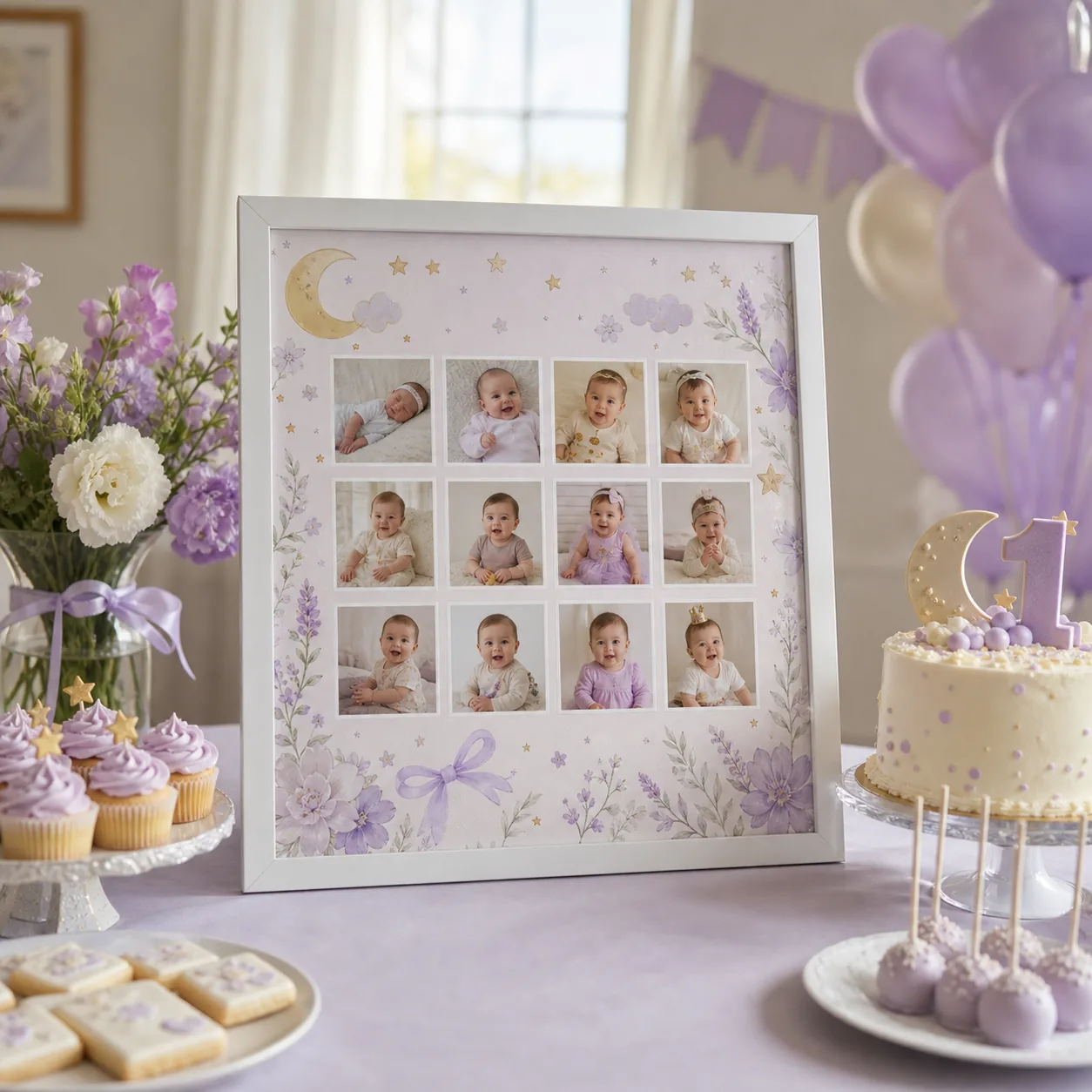
Monthly photo grids and number 1 collages make the first-year milestone immediately clear.
They work especially well for welcome tables, cake displays, and framed nursery keepsakes.
Select portrait, landscape, square, or standard paper proportions based on the final use.
Keeping key text away from the edges protects it from printer trimming and social-media crops.
Common questions
Yes. You can replace the sample photos, edit the wording, reorder images, and choose the format before export.
A monthly grid is the clearest choice for 12 photos, especially for a baby first-year timeline.
Yes. Export a high-quality PNG in the paper orientation you plan to use and check printer margins before printing.
Sources and further reading
Official advice on displaying copies, limiting light exposure, and safely framing family photographs.
Official explanation of print dimensions, pixel resolution, and preparing images for high-quality output.
Keep exploring
By: Makerming · Updated
Open the homepage editor, choose a template, upload the photos, and preview the result as you work.